Pertaining Peculiar Pebble Programming Possibilities
EDIT: Pebble is run by someone with a bias against left-handers.
It was a few years after the demise of the original Pebble company that I first heard of the hacker friendliness of the Pebble watches. At the time, I thought it was a shame to have missed out on a neat piece of hardware, but I was also relieved that I didn't get invested in something that was so ephemeral (at least to me).
Fast forward to early 2025 when the guy who shitcanned Pebble said he learned some important lessons
and is going to bring back the watches
in an improved, more community focused way. He seemed sincere so I signed up for news, and pre-ordered the watch with the
earliest delivery date; the Core 2 Duo, now known as the Pebble 2 Duo.
EDIT: nope, dude is still lousy, at least when it comes to people who report problems left-handers encountered with
his decidely right-hander only firmware UI.
Happily everything is Open Source, and to me that is the best way to maintain a community around hardware. What draws me to hardware, is the question 'what fun things can I do with this hardware?', and then I edutain myself with a text editor and some fine documentation. In this case, the fun things really involved being able to control my not-quite-so-smart-home.
Emergency Black Sabbath Button
The first test of the Pebble, was an emulation of the EBSB. The most recent EBSB was made in 2017,
based on an EBSB from 2012, which is based on
code from 2008
that runs a shell command when a physical switch connected to a computer is pressed.
The source code for my Pebble EBSB.
Pebble apps have a watch component written in c, and a phone component written in javascrit. WhatI came up with is a Single Click Action app, that when launched on the watch, sends a message to the phone component informing it to do its task, which is an API request using XMLHttpRequest. Once I had a working app, I duplicated the app a few times and only really needed to change a function in a the single javascript file in order to create a new Single Click Action app to send commands to my home.
the javascript file
/* this code will perform a task when told to do so by the c side of
 * the application.
 *
 * to change the task, edit the `do_task()` function
 */


Pebble.addEventListener('ready', function(e) {
	// notify the watch that the phone is ready to Do!
	Pebble.sendAppMessage({'READY': true});
});

Pebble.addEventListener('appmessage', function(dict) {
	// have we been told to do?
	if(dict.payload['DO'] ) {
		do_task();
	}
});

/* do_task */
// pebble can use XMLHttpRequest to make remote requests
// REF: https://developer.mozilla.org/en-US/docs/Web/API/XMLHttpRequest_API/Using_XMLHttpRequest
function do_task() {
	var xhr = new XMLHttpRequest();
	// define the payload
	var data = {"scripts":["black_sabbath"]};
	// open a request type at url
	xhr.open("POST", "http://media:9090/run");
	//
	xhr.setRequestHeader('Content-Type', 'application/json');
	// send the request
	xhr.send(JSON.stringify(data));
	// TODO: handle errors

	//notify watch that task has been done
	Pebble.sendAppMessage({"OK": true});
}
Using the Pebble 'Quick Launch' setting, I have configured a long press of the Select button to launch EBSB. By duping and making small edits, I also have apps to turn the house lights On and Off. An app to tell the media machine to play the local public radio station would be nice. :)
After writing some apps, I decided to try my hand at writing a watchface… which is an app, that uses a graphics library to create an image that is displayed to the user.
This Is Not a Watch
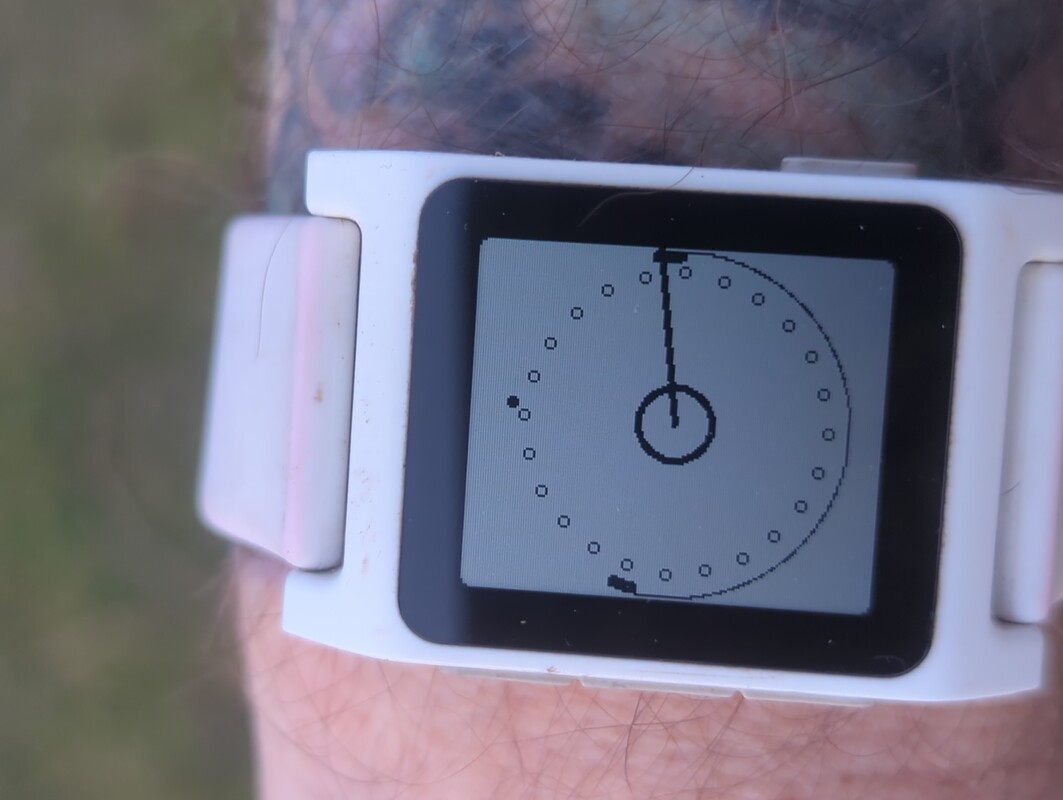 the watchface here is an early prototype of my 24 hour. The bold circle in the middle has NOTHING to do with
telling time. It is a vestigial bit of code from the first time I successfully created graphics to display this device.
the watchface here is an early prototype of my 24 hour. The bold circle in the middle has NOTHING to do with
telling time. It is a vestigial bit of code from the first time I successfully created graphics to display this device.
The moment that circle appeared, I had a flashback to watching a circle I had programmed in BASIC slowly display on an Apple ][e, albeit the Pebble is significantly faster. It was then that I realized the truth; my Pebble isn't a watch, it is an input device and information display that is designed to be worn on a wrist.
I was Neo bending the spoon.
What times is it, and when do the sheep go in?
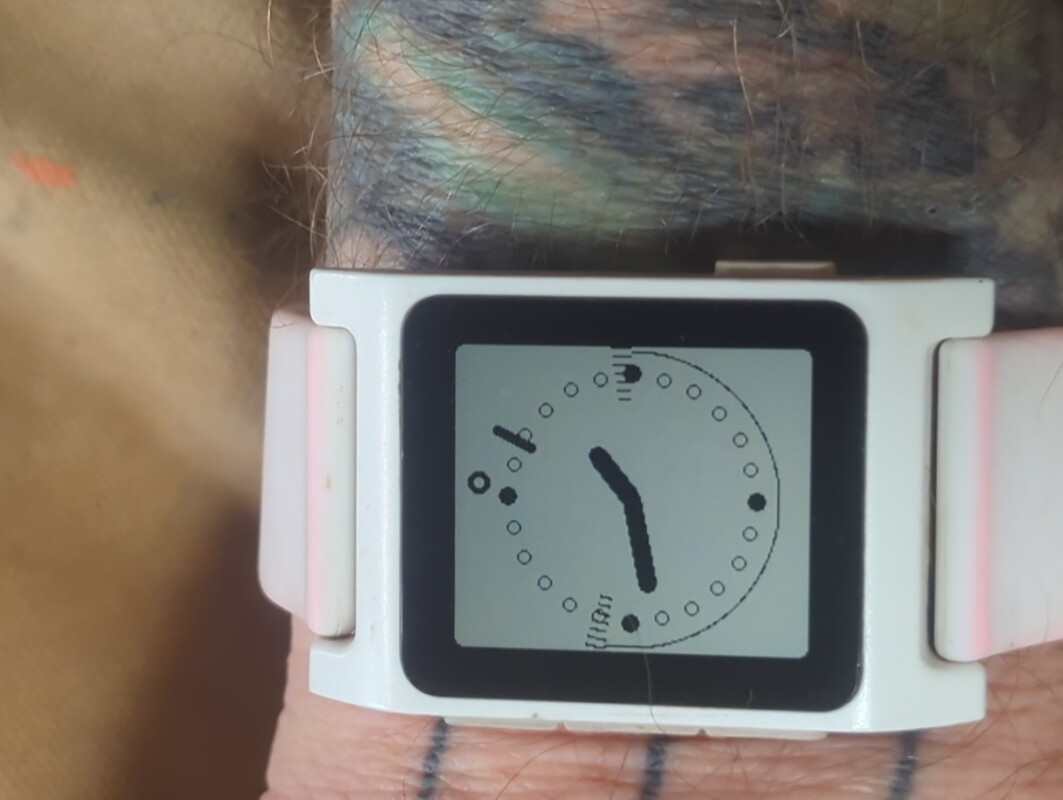 Every hour, the phone component of my watchface app gets the GPS location, computes sunrise/sunset times
for that location, and sends results to the watch which then uses that data when redrawing the display every minute.
Every hour, the phone component of my watchface app gets the GPS location, computes sunrise/sunset times
for that location, and sends results to the watch which then uses that data when redrawing the display every minute.
The sheep get put in their house around sunset, and it is good to know how much time I have left to do chores before it is time to put in the sheep.
turn it all off
This is the first time I have worn a watch in over 30 years. For anyone considering getting a smartwatch of any sort, I highly suggest turning off all notification, everywhere that you can. Later, should you find yourself saying "hey, it would be nice if I could get notified about [EVENT] on my watch", then you can go through the process of enabling that kind of notification.
Next?
My watch has speech-to-text capabilities, which means I should be able to use it to replicate the functionality of blather, and control my smarthome by speaking into my watch.
should, but I have been unsuccessful so far in getting the dictation library to recognize "hello world". It is possible that the microphone on my watch is jammed full of crap and isn't working properly. Farm life tends to do that.
This was my first time really programming in C despite having taken a class in the aughts as well as back in the late 1900s. It was enjoyable, but, and I never thought I'd say something like this, I'm looking forward to using javascript on PebbleOS.
cheers,
jezra